Danmu / Push Widget: a tool that pops a push window on any website. No install needed; desktop, mobile, tablet. Drag it onto your bookmarks bar.
Push Browser Extension: a text-push and screenshot-push extension with desktop notification and sound. Recommended. Available as a browser plugin or as a Windows / Mac client.
Copy this channel code, paste it into the widget, click "Open Push Channel" or the browser extension icon Create more channels >>
Add AI Danmu Widget
AI DanmuAdd Push Widget
YiFeng RelayNo bookmarks bar? Use Ctrl+Shift+B or follow the image:

How to use the "YiFeng" browser push extension
1. Mainland users: install online from the Edge Add-on Store. Users outside the mainland can install from the Chrome Web Store. For QQ/360 browsers, manually download the browser extension, unzip, enable Developer Mode, and load "Unpacked extension".
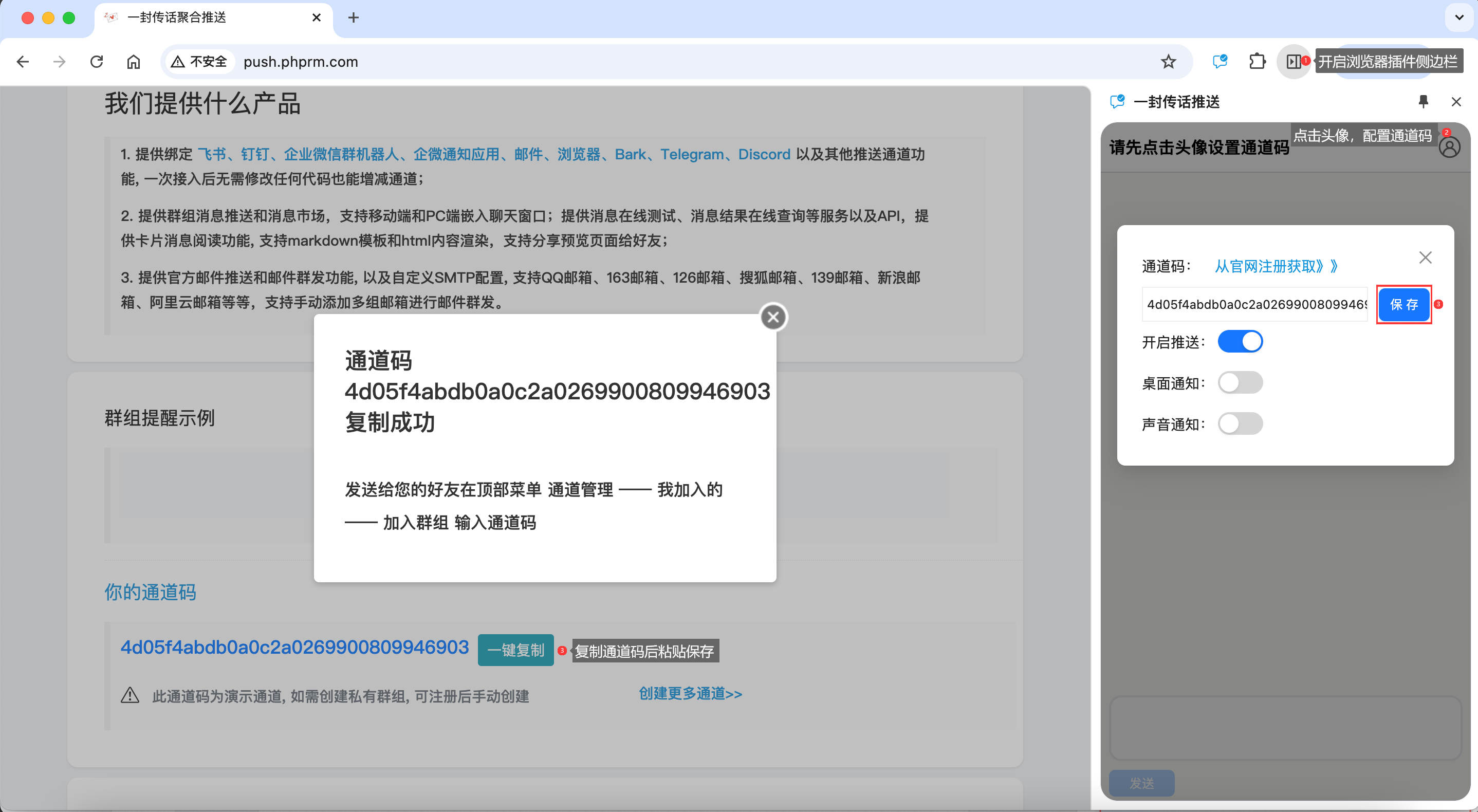
2. Copy the demo channel code from the homepage (or your own), open the extension sidebar and click "Avatar" to paste the code into the input
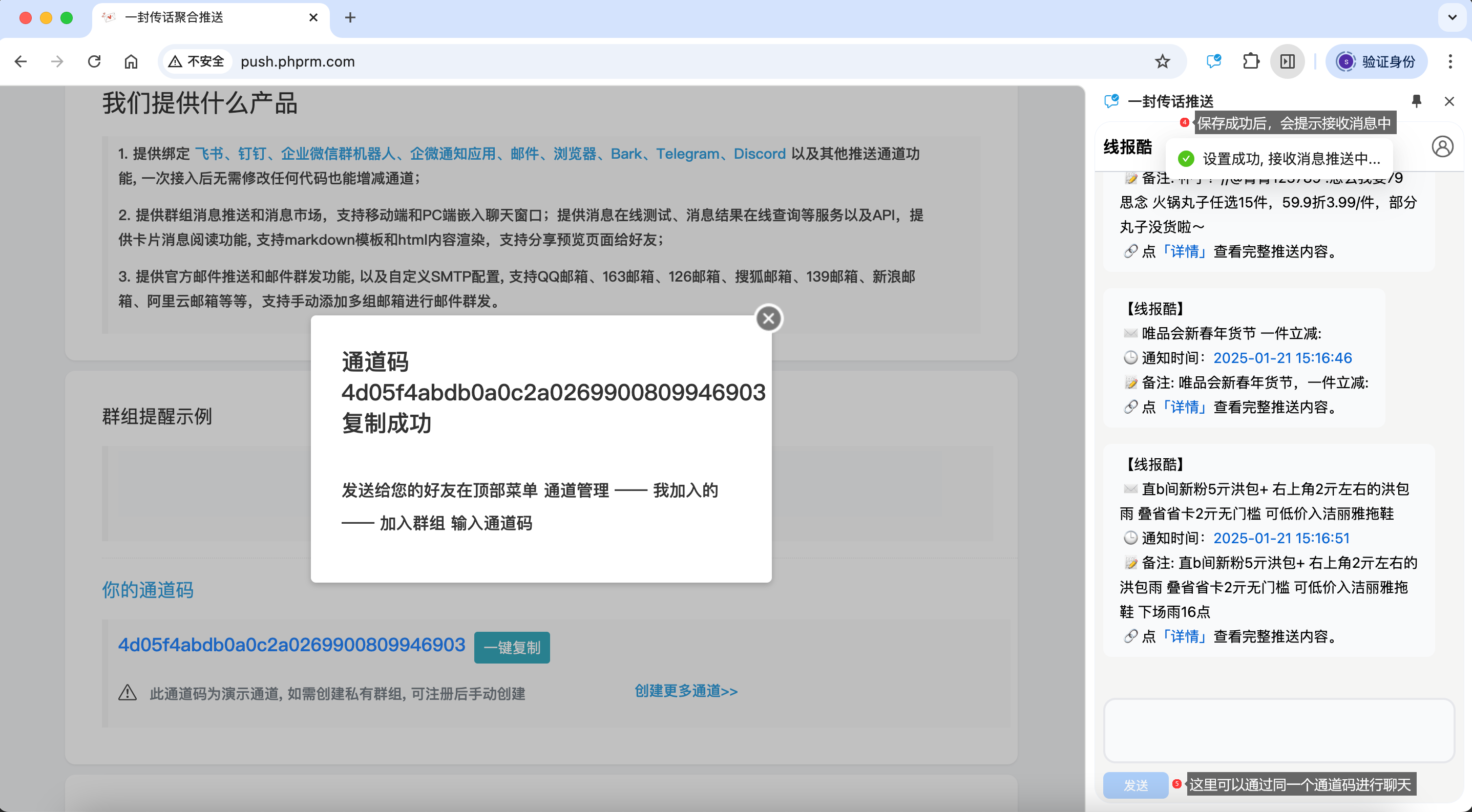
3. After configuring the channel code, right-click on any page and choose "Push to YiFeng" to push a screenshot/image
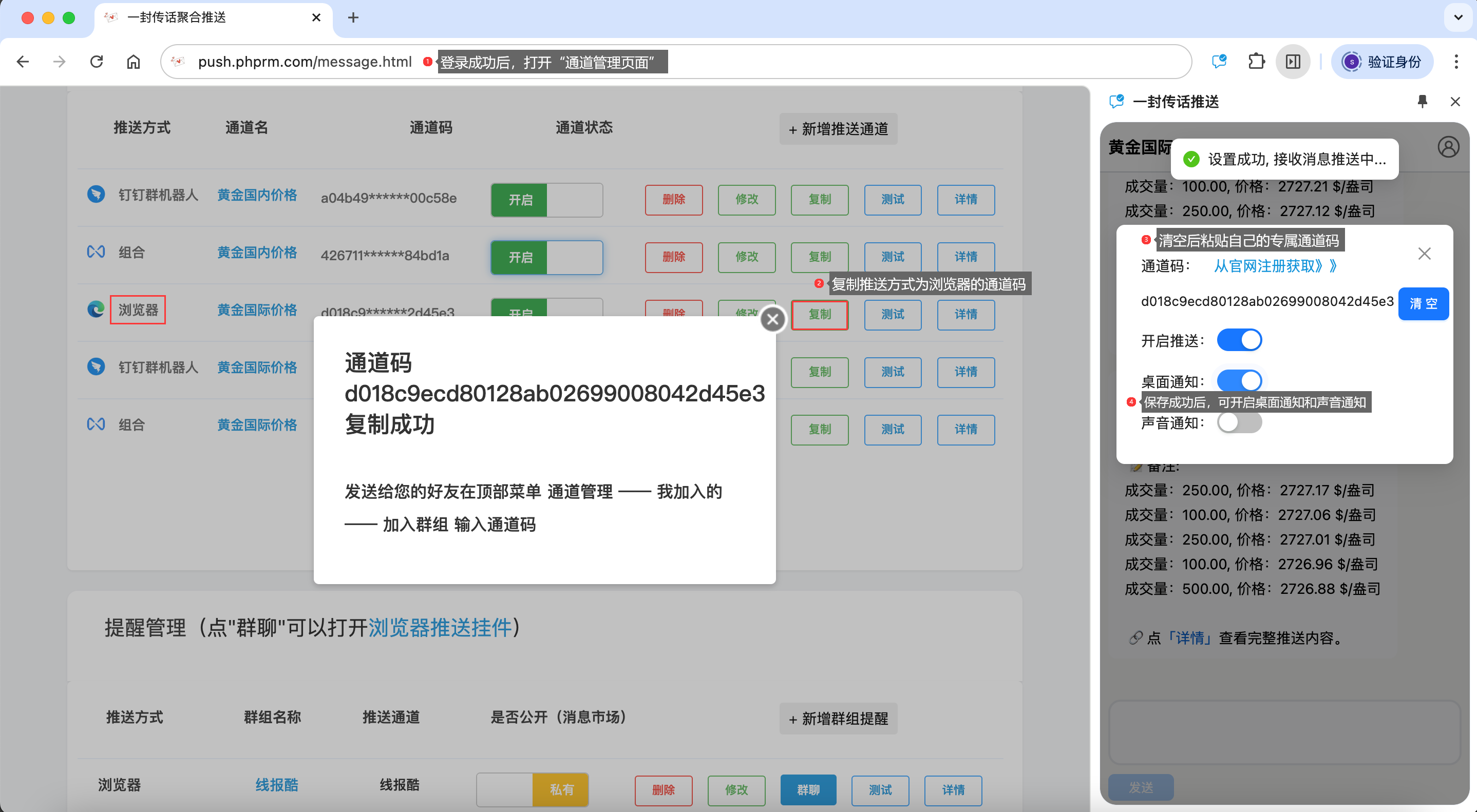
4. Select text on any page, right-click and choose "Push to YiFeng" to send it to your phone

How to use the "YiFeng" danmu / push widget
1. On any website, click the bookmark you just added

2. Get your channel code from the YiFeng homepage
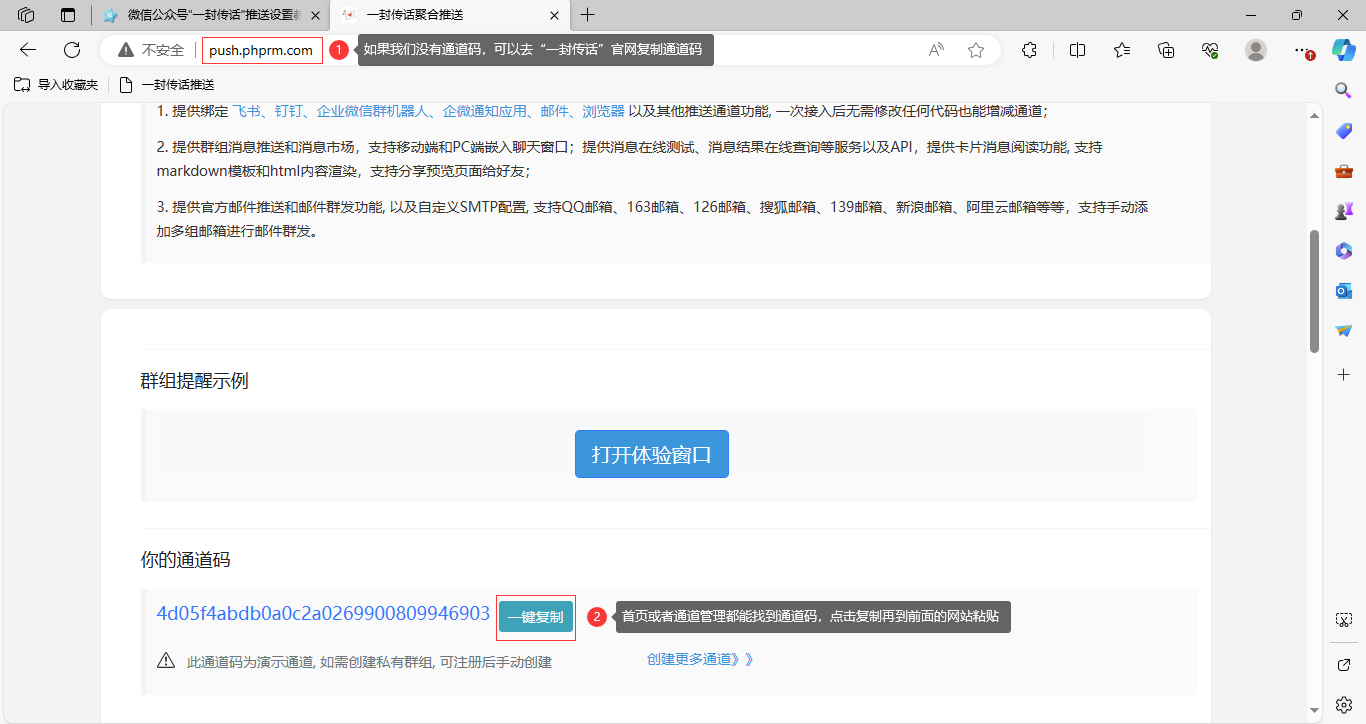
3. Paste your channel code, click "Open Push Channel" to pop up the widget

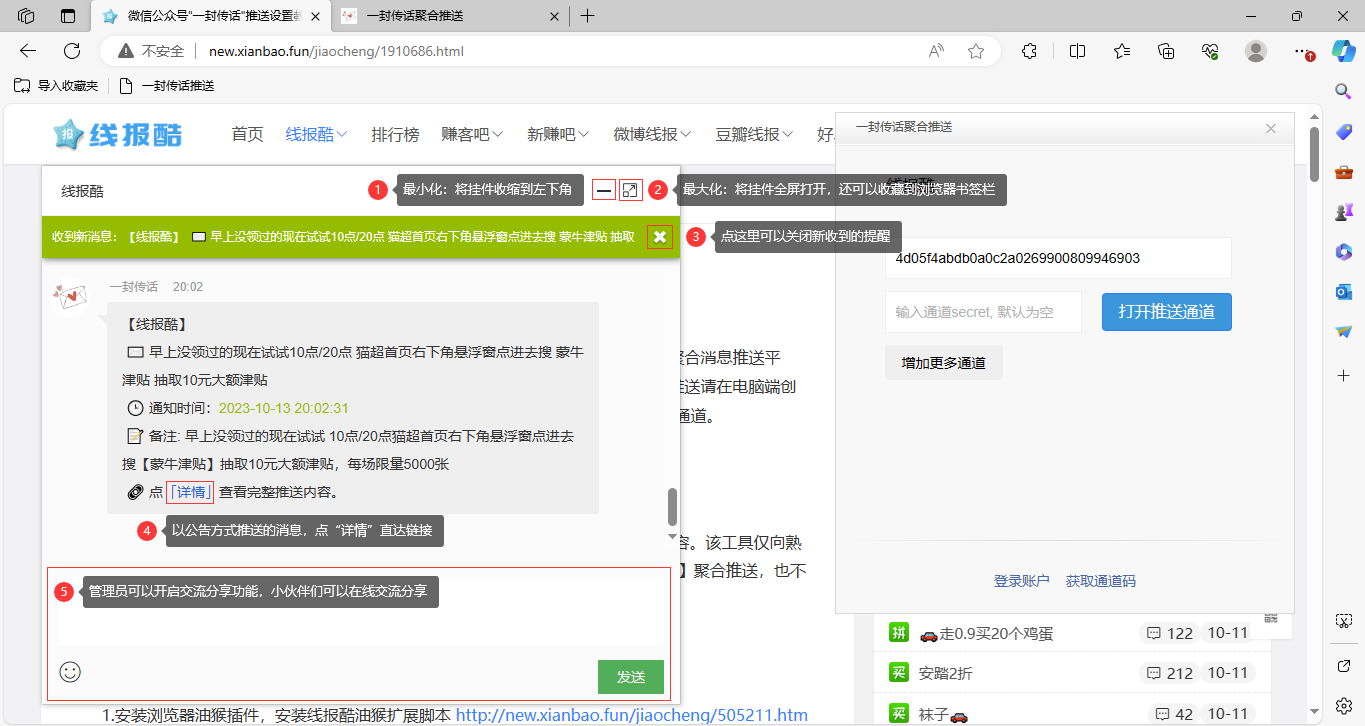
4. After min/maximizing, the push URL can be saved to favorites; next time it opens the push channel automatically
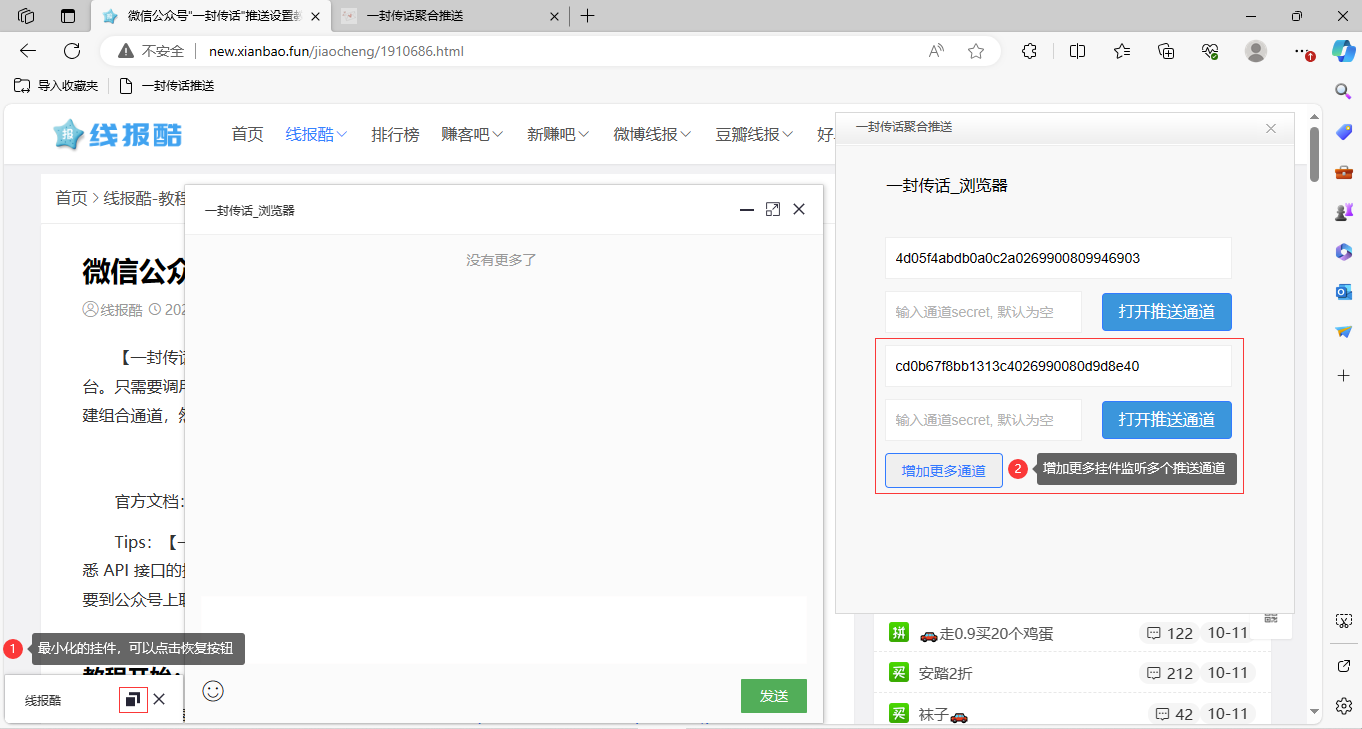
5. Open more channel widget windows
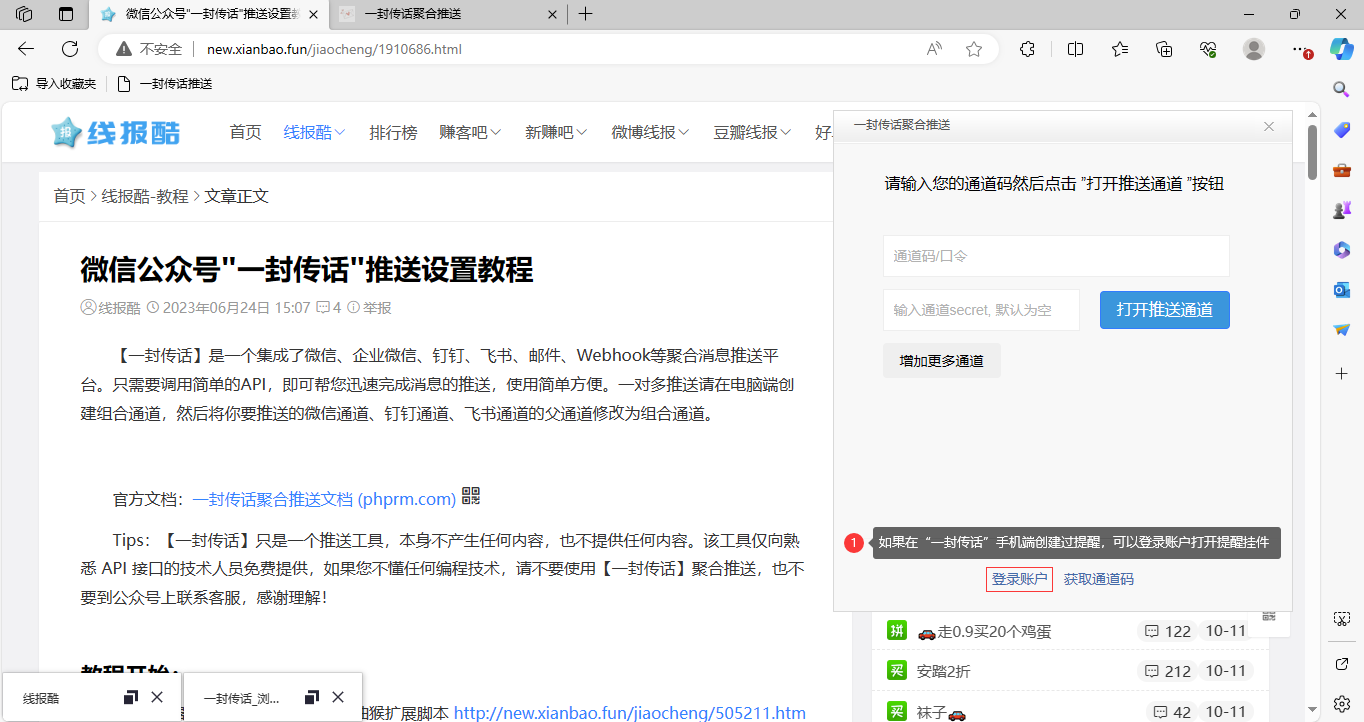
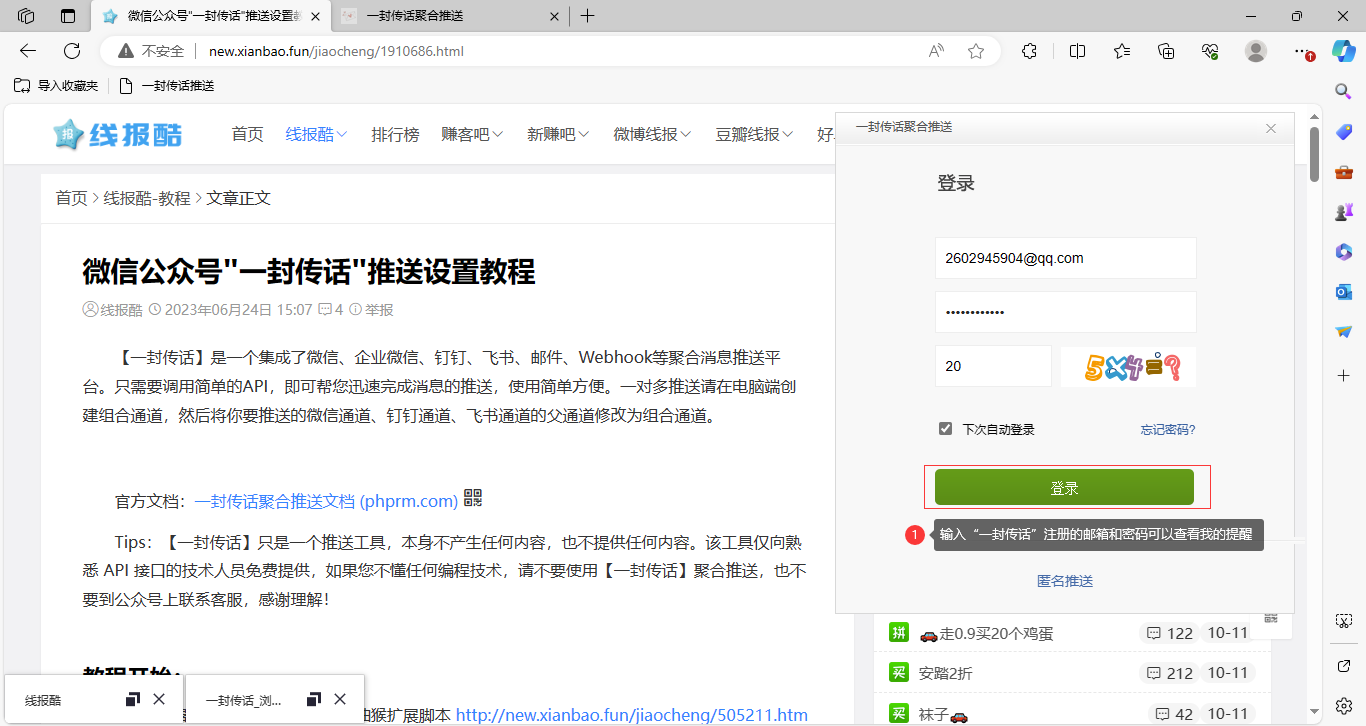
6. Sign in to view my reminders without remembering channel codes
7. Open My/My Joined to receive channel codes shared by friends through the widget

